
Convert a PDF to Word
Last updated: 2 October 2026
Use PDF to Word to turn a PDF into an editable Word document. The conversion keeps the layout and structure of the original, including automatic numbering, complex tables and two-column formatting, so it works well for contracts, policies, scanned agreements and other structured documents.
You can convert a PDF in the Word add-in or in the browser.
Watch the walkthrough
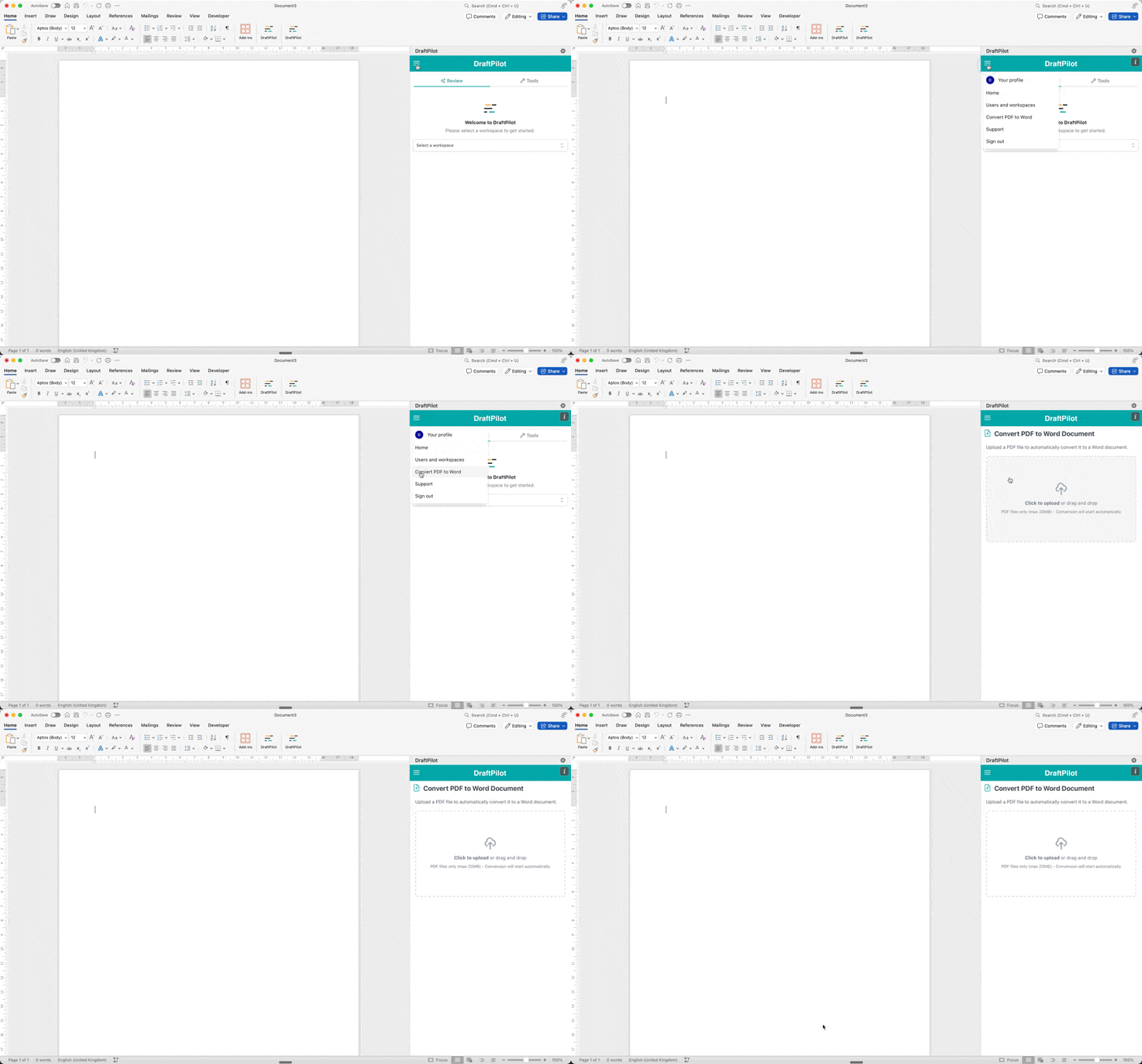
Convert a PDF in Word
- Open any Word document, even an empty one, and open DraftPilot.
- Select Convert PDF to Word.
- Drag your PDF into the upload box.
- Download the converted Word document from the add-in.
Convert a PDF in the browser
- Go to app.draftpilot.ai and sign in.
- Select PDF to Word in the left-hand menu.
- Drag your PDF into the upload box.
- Download the converted .docx file.
Continue working with the converted document
Open the converted document in Word to edit it, review it against a playbook or use any of the other DraftPilot tools.