
Requesting security documents from the Trust Center
Last updated: October 26, 2026
Our security and compliance documents live in the DraftPilot Trust Center at https://draftpilot-ltd.trust.site. You can also reach it from the Trust Center link on our Support page.
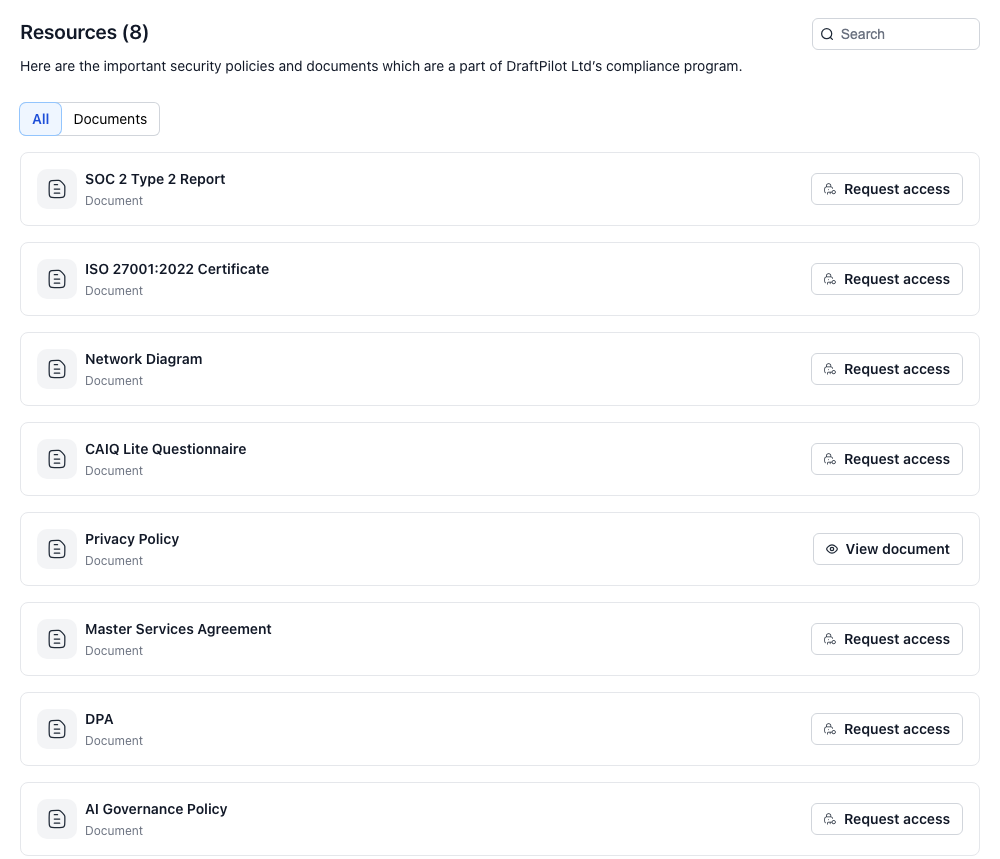
Anyone can browse the Trust Center for our certifications, security controls, subprocessors and FAQ. Most documents are restricted, so you need to request access to download them.
Which documents are available
| Document | Access |
|---|---|
| SOC 2 Type 2 Report | Request access |
| ISO 27001:2022 Certificate | Request access |
| Network Diagram | Request access |
| CAIQ Lite Questionnaire | Request access |
| Master Services Agreement | Request access |
| DPA (Data Processing Agreement) | Request access |
| AI Governance Policy | Request access |
| Privacy Policy | Open to everyone |
To see the list, click the Resources tab in the Trust Center.
How to request access
-
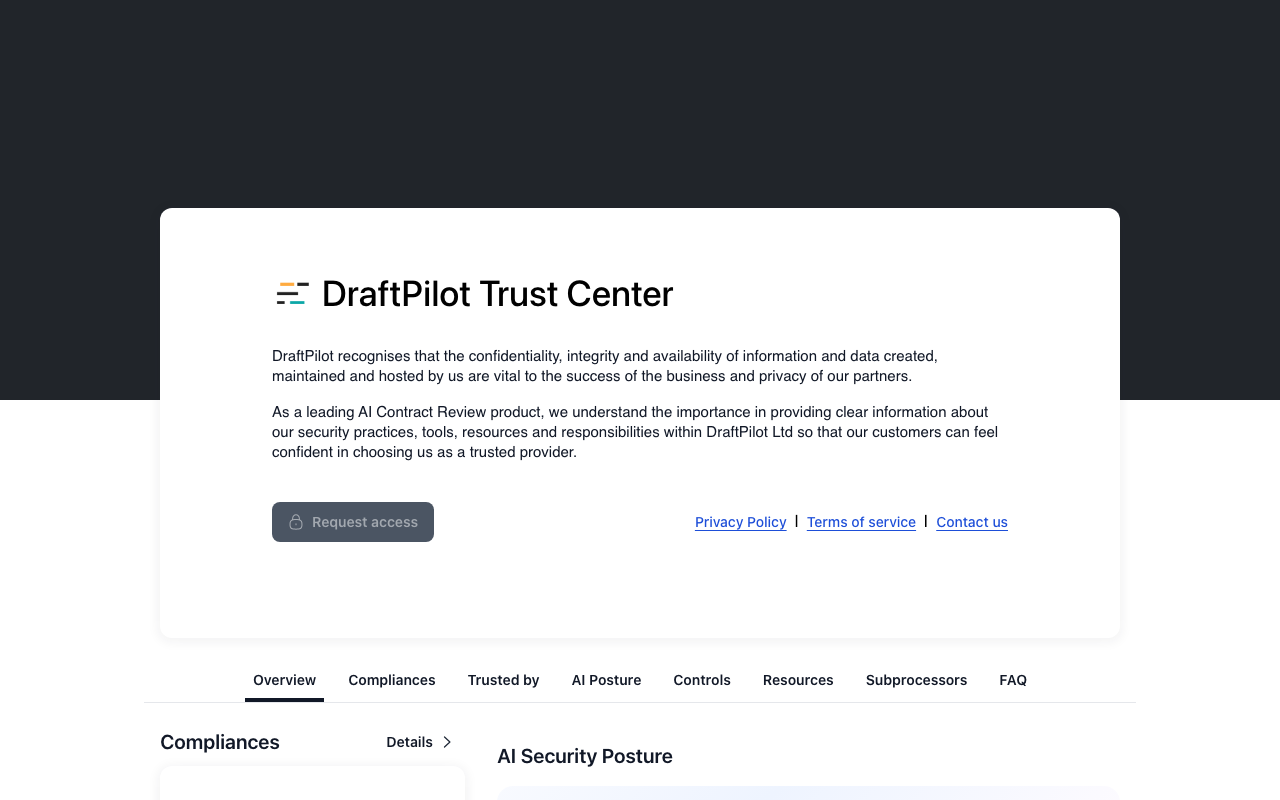
Go to https://draftpilot-ltd.trust.site and click the dark Request access button near the top of the page.
-
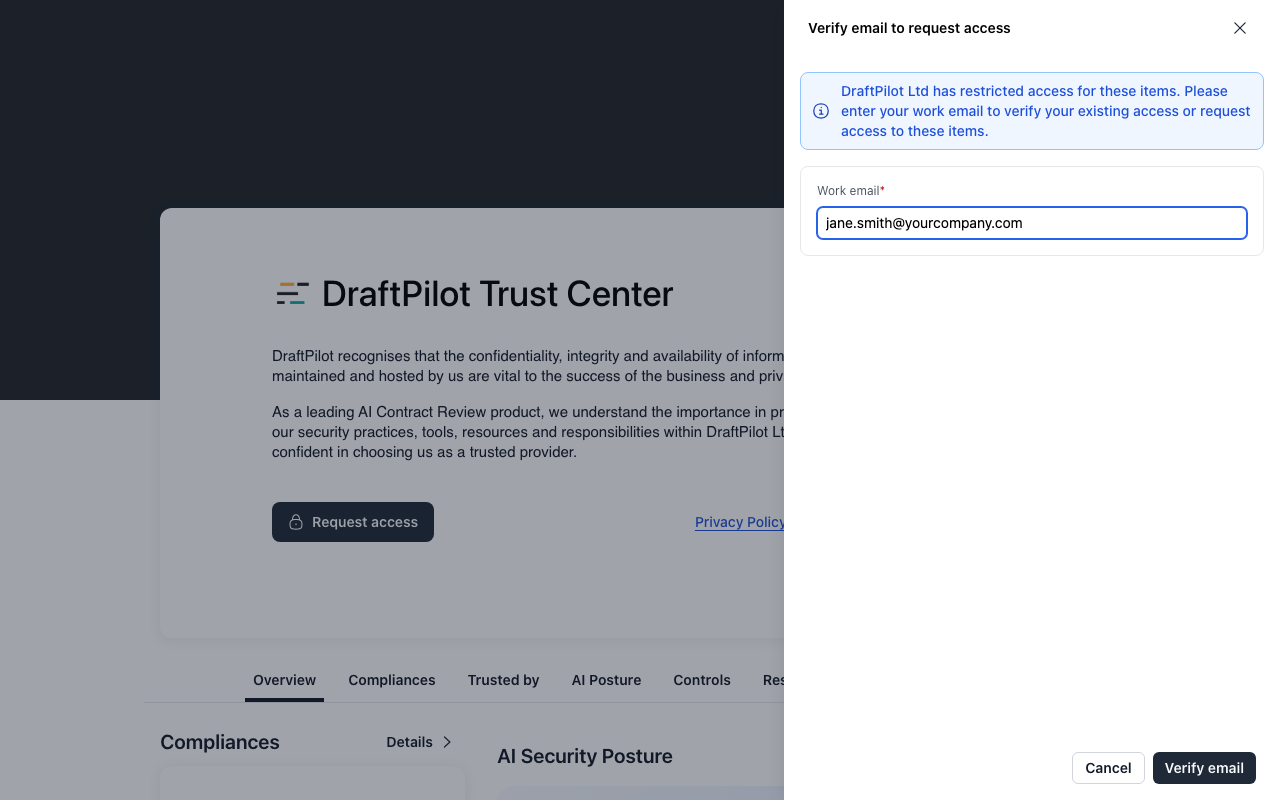
Enter your work email and click Verify email. Personal addresses (Gmail, Outlook.com and similar) are rejected with the message “Use your corporate email”, so use your company address.
-
Check your inbox for a 6-digit verification code and type it into the Verification Code boxes. If it hasn’t arrived, check your spam or quarantine folder, then click Resend (available after 60 seconds).
-
Follow the remaining on-screen steps to submit your request. If you already have access, verifying your email is enough to open the documents.
-
Wait for approval. Our team reviews each request. Once it’s approved, you’ll be able to view the documents from the Trust Center using the same work email.
If you get stuck
- No verification code: check your spam or quarantine folder, and ask your IT team whether your email filter is holding it.
- You need a document urgently, or for a security questionnaire: email [email protected] with the documents you need and your company name.
For a short summary of how we protect your data, see What safeguards are in place to protect my data in DraftPilot?